Book Appointment Now

How to Measure Indoor Humidity Accurately
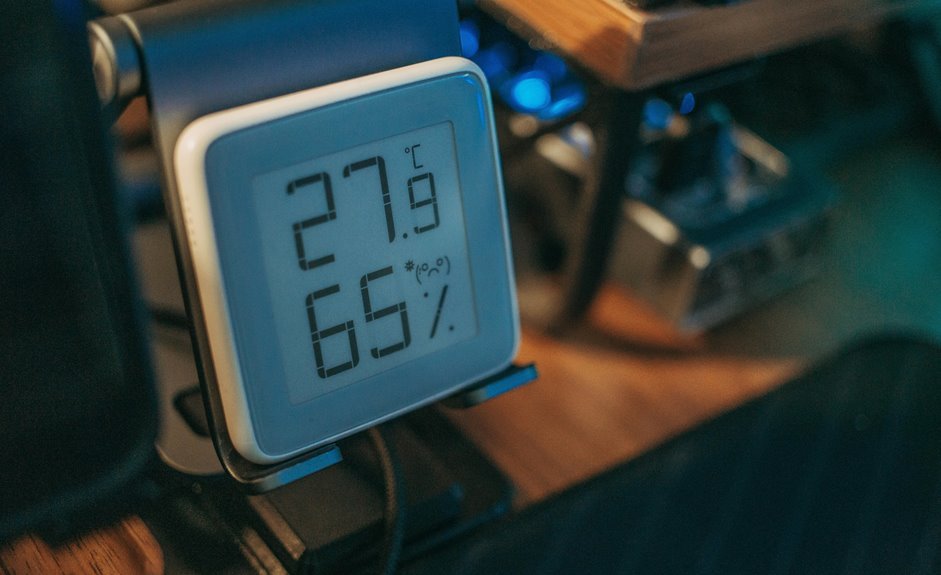
Accurate indoor humidity measurement starts with a quality hygrometer, proper placement, and patience for readings to stabilize. Place the device away from direct sunlight, vents, and exterior walls to avoid skewed results. Calibrate the hygrometer against a known reference or use a salt test to check accuracy. Aim for indoor relative humidity between about 30% and 50% for comfort and mold prevention. Regular monitoring helps catch excess moisture early, protecting comfort, air quality, and structures.
What Is Indoor Humidity?
Indoor humidity is the amount of water vapor in the air inside your home, and it can shape how comfortable you feel every day. Whenever air moisture stays in balance, you breathe easier, sleep better, and feel more at ease in shared spaces.
In case it rises too high, you might notice sticky rooms, musty smells, or foggy windows. In case it drops too low, your skin, throat, and furniture can feel dry.
Your building envelope also plays a part, because walls, windows, and insulation can hold in or release moisture. So you’re not just checking a number; you’re reading how your home lives with you. That simple comprehension helps you notice changes sooner and feel more in control.
Choose the Right Indoor Humidity Meter
Now that you know what indoor humidity means, the next step is picking a meter you can trust. A digital hygrometer usually gives you the clearest routine reading, and it helps you feel confident in your home.
Look for:
- display readability so you can check numbers fast
- battery life that lasts through busy weeks
- probe type that fits your room and use
- wireless connectivity should you want quick checks from across the room
Also, choose a model that feels simple in your hands, not fussy. In the event the screen is easy to read, you’ll use it more. Assuming the setup feels friendly, you’ll stick with it.
That matters because you deserve tools that make home care easier, not harder. A good meter helps you stay connected to your space.
Where to Place a Humidity Meter
Place your humidity meter where the air in the room can move around it freely, because that’s what gives you a reading you can actually trust. Choose a central spot in the room you use most, and keep it away from direct sun, vents, radiators, sinks, and wet corners. Wall mounting can work well provided the sensor sits clear of furniture and breathing space stays open. Corner placement often traps damp air, so avoid it whenever you can.
| Spot | Good? | Why |
|---|---|---|
| Center wall | Yes | Air mixes better |
| Near vent | No | Drafts skew numbers |
| Shelf away from wall | Yes | Cleaner exposure |
Should your home has several lived-in spaces, check each one. That way, you’ll feel more in tune with your place and spot changes without guesswork.
How to Measure Indoor Humidity Accurately
For the most accurate indoor reading, you’ll want a digital hygrometer, since it’s easy to use and usually gives the most reliable results.
Place the sensor where air can move around it, and keep it away from sunlight, vents, radiators, sinks, and other spots that can skew the number.
Then let it settle for a few minutes so you’re not chasing a reading that’s still changing.
Choose the Right Tool
To get a reading you can trust, start with the right tool, because the device you choose matters as much as where you use it. A digital hygrometer usually gives you the clearest routine check, and it feels easier to live with than guesswork. Should you’re comparing budget models, look for one with a clear display and steady sensor lifespan.
- Check that it reads humidity, not just temperature.
- Pick a model you can verify against a known reference.
- Choose one that’s simple enough to use every day.
When you trust your tool, you can fit the numbers into real life without second-guessing every room. That helps you feel more at home in your space, because you’re not chasing random readings. A reliable meter gives you calm, not clutter.
Place Sensor Correctly
Humidity readings only make sense whenever the sensor sits in the right spot, and that small detail can save you a lot of confusion. You’ll get steadier results whenever you place your digital hygrometer at the ideal height, about chest level, where air moves naturally.
Keep it in a central area, and avoid drafts from vents, windows, radiators, sinks, or direct sunlight. Also, avoid placing it too close to walls, furniture, or humid spots like kitchens and bathrooms, because those areas skew the numbers.
Give the device a few minutes to settle before you check it, since quick changes can mislead you. Assuming you measure in different rooms, you’ll see patterns that help your home feel more balanced and comfortable.
What Do Indoor Humidity Readings Mean?
Once you have a humidity reading, the next step is grasping what it’s really telling you about your home. It shows more than comfort; it can hint at health impacts, mold risk, and plant care needs.
Whenever the number sits in a healthy range, you and your space usually feel steadier. Should it be too low, your skin could feel dry and your room might seem stale. Should it be too high, you can feel sticky, and your home could trap moisture.
- Aim for balance, not perfection.
- Watch the reading over time.
- Trust patterns more than one snapshot.
Compare Humidity by Room
A room-by-room comparison can tell you a lot more than a single number ever could.
You can place your digital hygrometer in the bedroom, family room, and basement, then wait a few minutes for each reading to settle. Move it away from walls, furniture, vents, and sunny spots so you get room comparisons you can trust.
Whenever you compare readings at different times, you’ll spot damp corners or dry spaces that affect occupant comfort. A bedroom might feel fine while a basement feels sticky, and that difference matters to your daily life.
Keep notes in one simple log, so you can see patterns without guessing. That way, you’ll know where your home feels most welcoming and where it needs a little help.
How Temperature Changes Humidity Readings
Even small temperature changes can make the same room feel more or less humid, which is why your reading can shift even though the air hasn’t really changed much. Warm air holds more water vapor, so your hygrometer might show a lower relative humidity as the temperature rises. Once the room cools, the number can climb again. That’s normal, and you’re not doing anything wrong.
- Keep the sensor out of sun and vents so heat doesn’t skew it.
- Give the device time to settle, because sensor drift can hide the real level.
- Watch for thermal expansion in nearby materials, since warm surfaces can nudge readings.
If you check the same space at different times, you’ll spot the pattern faster and feel more confident about what your home is telling you.
How to Calibrate Your Hygrometer
To calibrate your hygrometer, start with a simple salt trial, which gives you a steady humidity reference you can trust.
Then compare your device with that reference and observe how far off it reads, because even a good meter can drift a little over time.
Should your hygrometer have a calibration dial, adjust it until it matches the reference, and you’ll get readings that feel a lot less like guesswork.
Salt Test Method
The salt trial can help you check whether your hygrometer is reading close to the truth, and it’s easier than it sounds. Mix salt with a little water until it forms a thick, wet paste, then seal your hygrometer with it in a container. A saturated saltwork creates about 75% RH, so this gives you a calm, shared target. Wait through the full calibration timeframe, usually several hours, so the sensor settles.
- Keep the cup closed tightly.
- Leave the meter untouched.
- Read the display after settling.
In case your device has an adjustment screw, nudge it to 75%. Should it lack one, take note of the offset and keep using that correction later. This small habit helps you trust your indoor readings without second-guessing yourself.
Compare With Reference
Once you have a hygrometer you trust, you can compare it with a known reference so you know what its numbers really mean.
Put it beside a trusted meter, or use reference standards like a sealed salt trial, and let both sit in the same still air. This instrument crosscheck helps you spot any offset without guesswork.
You’re not chasing perfection; you’re making sure your reading fits the room you live in.
Check it in a few spots and at different times, because one quick look can lie.
Should the number stays close, you can feel confident. Should it drifts, note the gap and keep that difference in mind next time.
That little habit helps you belong to the crowd that measures, notices, and stays prepared.
Adjust Calibration Dial
Twist the calibration dial with care, and you can bring your hygrometer back into line without much stress. You’re not fixing a machine alone; you’re helping your space feel right for everyone who lives there.
After you compare it with a trusted reference, use the user interface to make a small dial adjustment, then pause and check the result.
- Move the dial slowly
- Match the reference reading
- Recheck after a few minutes
Should your model feel stiff, keep steady pressure and avoid forcing it. A tiny turn can change the reading a lot.
Once the number settles near the target, jot it down so you can trust future checks. Were it still to miss the mark, repeat the process once more. That’s how you stay in sync with your home.
Common Humidity Measuring Mistakes
Although indoor humidity seems simple to check, a few common mistakes can throw your reading off fast and leave you guessing.
You can avoid misreading placement by setting your hygrometer in a room’s center, away from sunlight, vents, sinks, and walls.
If you lean on overreliance digital habits, you might trust one number too quickly and miss room to room changes. Instead, let the device settle for a few minutes, then check bedrooms, inhabited areas, and basements.
You should also skip bathroom and kitchen hot spots unless that’s the space you want to study.
Whenever you compare readings at different times, you get a truer image. A small shift in position can change everything, so give the sensor open air and a fair shot.
How Often Should You Check Indoor Humidity?
You should check indoor humidity every day in case you want a clear image of how your home feels and changes. A digital hygrometer makes this easy, and you can place it in the room you use most, then compare readings from other rooms whenever something feels off.
Seasonal shifts matter too, so you’ll want to check more often in winter and summer whenever heating, cooling, and outdoor air can quickly change your indoor levels.
Daily Humidity Checks
Checking indoor humidity daily can feel like one more chore, but it quickly gives you a clearer image of what your home actually needs. You don’t need a big routine. A few quick checks with habit tracking can help you spot changes before they turn into sticky rooms or dry air. Use a digital hygrometer, place it in open air, and let it settle initially.
- Check one central room each day.
- Record the reading at the same time.
- Recheck bedrooms or basements whenever they feel off.
If a number seems strange, move the sensor away from vents, sunlight, or sinks. Then compare another reading. This small daily rhythm helps you feel more in control, and it makes your home feel easier to live in.
Seasonal Monitoring Frequency
Seasonally, how often you check indoor humidity depends on how much your home changes with the weather. In winter and summer, use a digital hygrometer weekly, then read it more often during seasonal shifts. That keeps you in step with your home, not guessing alone.
| Season | Check rate |
|---|---|
| Winter | Weekly |
| Spring | Every 2 weeks |
| Summer | Weekly |
| Fall | Every 2 weeks |
| Big weather shifts | Extra checks |
Place the sensor in a central room, away from vents, windows, and sinks. Let it settle, then note weekly trends in bedrooms, family rooms, and basements. If one space feels off, move the meter and compare. You’ll catch damp spots and dry air early, and that makes your home feel more comfortable, together.
When to Use a Dehumidifier or Humidifier
In many homes, the right humidity level changes with the weather, the room, and even the time of day, so a dehumidifier or humidifier can make a real difference.
You can use a dehumidifier whenever rooms feel clammy, windows fog, or Allergy control matters because damp air can feed dust mites and mold.
You can use a humidifier whenever the air feels dry, your skin stings, or Sleep comfort drops from scratchy throats.
- Check bedroom readings initially.
- Match the device to the room, not the whole house.
- Recheck after a few hours, because comfort can shift fast.
Should your basement stays sticky, choose dehumidification.
In case your bedroom feels desert-dry, add gentle moisture.
You belong in a home that feels balanced, calm, and easy to breathe in.
Frequently Asked Questions
How Do I Tell if My Hygrometer Needs Recalibration?
You’ll know your hygrometer needs recalibration if readings drift, calibration stickers mismatch, or its step response lags after moving rooms. Check against a trusted reference and adjust seasonally if it is consistently off.
Can a Salt Test Work for All Digital Hygrometers?
No, a salt trial does not work for all digital hygrometers. You will need to check calibration compatibility initially, because the salt method limitations can affect some sensors, and you might need a different verification method.
Why Do Basement Humidity Readings Differ From Upstairs?
Basement humidity readings differ because you are coping with stacked moisture and thermal stratification. Cooler air traps dampness below while upstairs air stays warmer and drier. You will notice bigger swings near vents, walls, and floors.
What Causes Brief Humidity Spikes Near Vents or Doors?
You see brief humidity spikes near vents or doors because airflow patterns change quickly and localized moisture rushes in or out. You are not imagining it; those spots cannot reflect your room’s steady, shared comfort.
How Long Should I Wait Before Trusting a New Reading?
Wait 3 to 5 minutes, then trust it. You should give it time, let the sensor warm up, stabilize readings, and ignore transients; your hygrometer will settle like a calm lake, and you will get clearer, truer humidity values.
